
 by Advert360
School fee management software · Windows
Less Paper. More Control.
Simplify school fee management, reduce paperwork and organise student fee records with Fee360.
Pilot programme — now inviting pilot schools
Why Fee360
Built by people who run a school
Fee360 is a Windows desktop application for schools, academies, colleges and tuition centres. It replaces the paper fee register and the spreadsheet with one organised system: vouchers, collection, reminders and reports, all on your own PC.
It was built by Advert360, a team that runs a school itself, so it is designed around how a fee office actually works: busy mornings at the counter, parents who pay in parts, and owners who want to know the collection figure without asking three people.
Pilot status: Fee360 is in its pilot phase and we are now inviting pilot schools. Every school gets a free two-day trial before paying.
Works offline
Runs on your PC. No internet needed for daily work.
One-time payment
No monthly subscription for the version you buy.
Your data stays yours
Student records stay on your school’s PC, with backups.
Windows 10 & 11
Any normal office PC. Installs in minutes.
Screenshots
See it before you install it
Real screens from Fee360 0.4.x, shown with a fictional demo school.
Dashboard
Fee collection
Fee voucher
Students
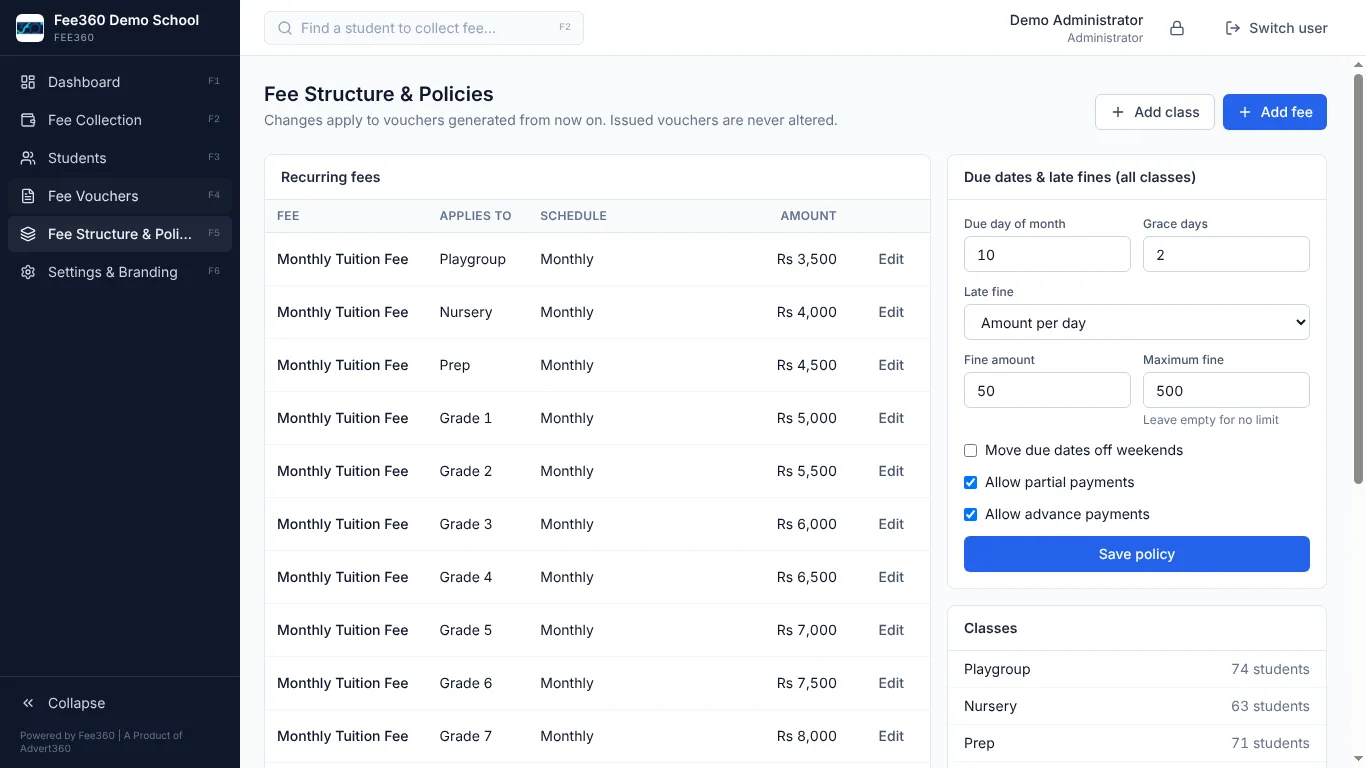
Fee structure & policies
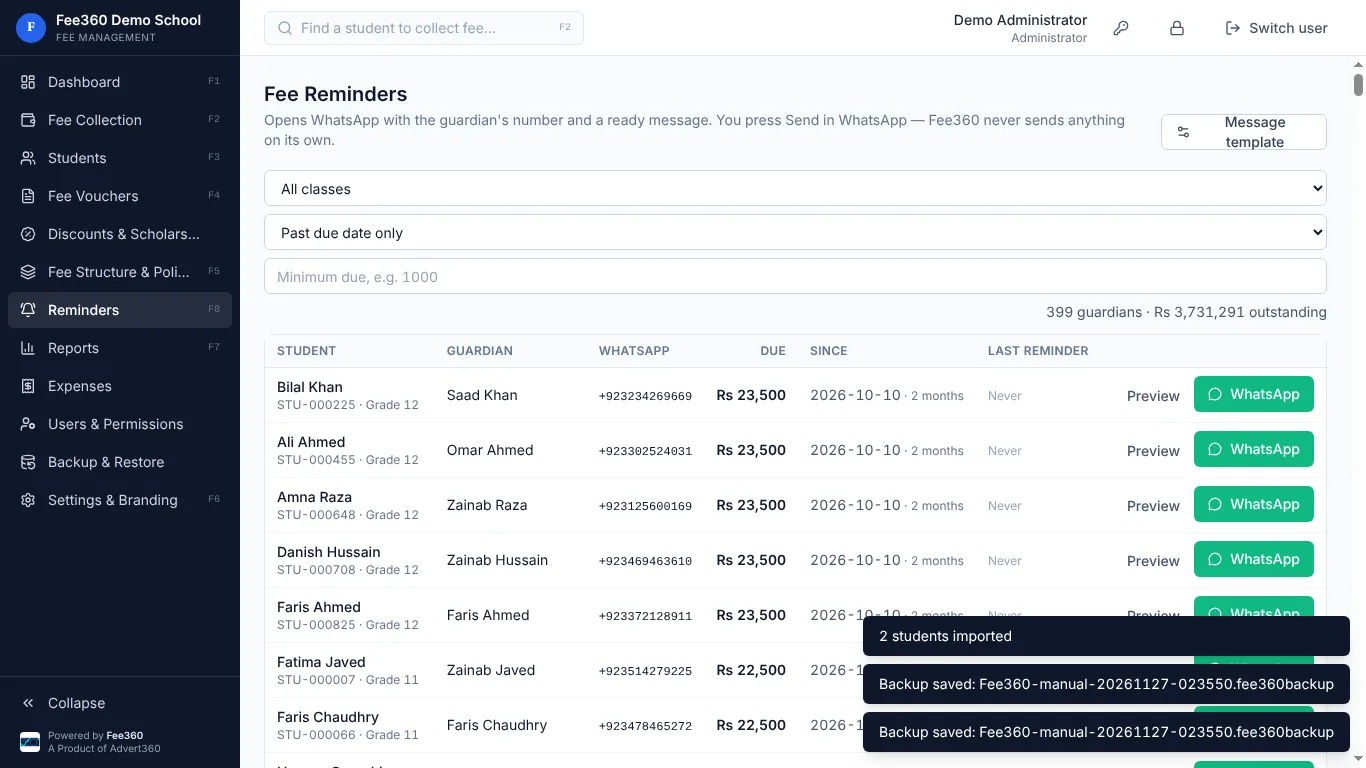
Reminders
The difference
From registers to one organised system
| Task | Paper & spreadsheets | With Fee360 |
|---|---|---|
| Monthly vouchers | Written or typed one by one | Generated for the whole school in one step |
| Who has not paid? | Hours of checking registers | Outstanding and overdue lists, by class |
| Reminders to parents | Phone calls one at a time | WhatsApp reminders and notices from the PC |
| Discounts and fines | Calculated by hand, often missed | Applied by your own policy, every time |
| Owner’s view | Ask the accountant | Dashboard and 17 exportable reports |
| Mistakes | Overwritten or crossed out | Reversed with a password and an audit trail |
Features
Everything the fee office needs
Every feature below is available in the current version. Items on our roadmap are listed separately on the features page.
Students & classes
Student records
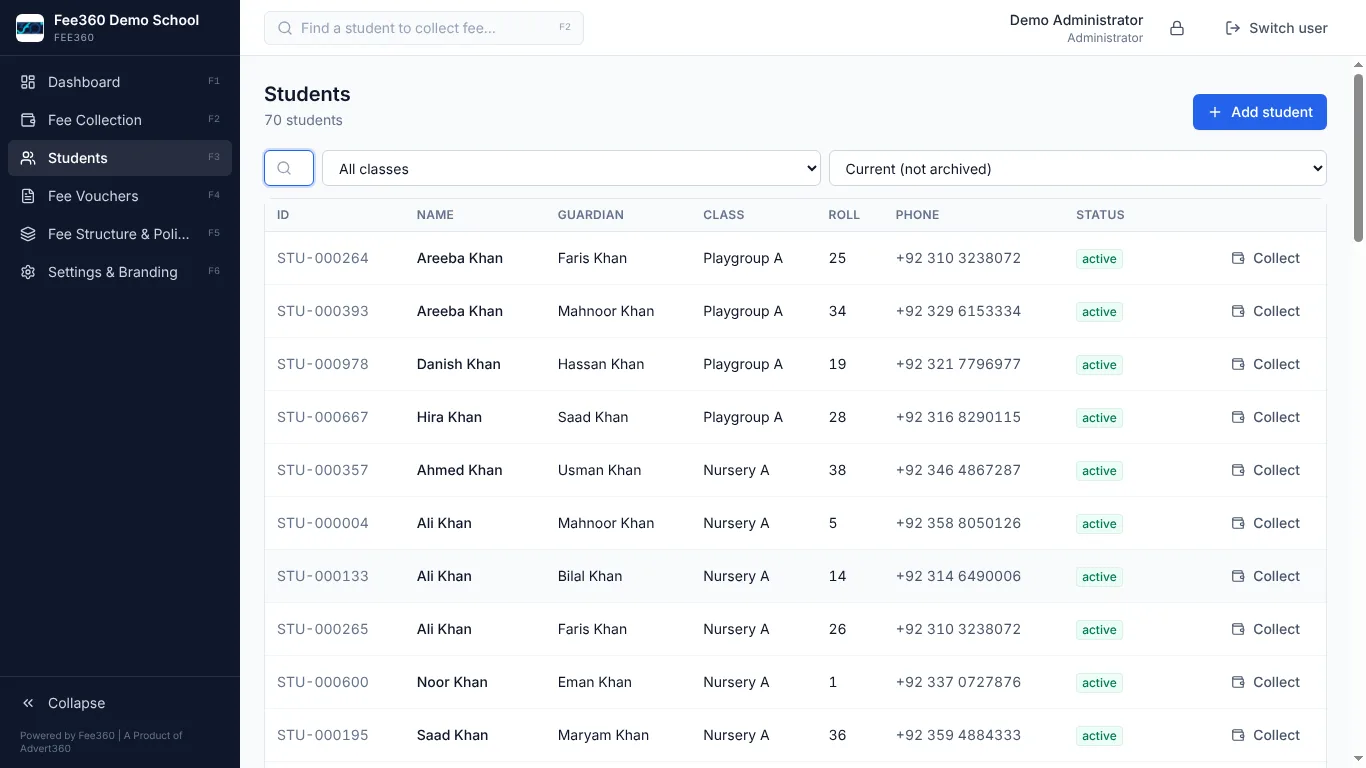
Add, edit, search and filter students by name, ID, admission or roll number, phone or guardian. Withdraw or re-activate; records are archived, never deleted.
Classes and sections
Set up classes during the setup wizard and assign monthly tuition per class.
Student fee statements
A complete history of dues, payments, discounts and fines for every student.
Bulk import from Excel
Bring your existing student list in from a spreadsheet instead of typing it again.
Fee policies
Class-wise fee structure
Monthly, quarterly and annual fee heads per class, with due dates and grace days.
Late payment fines
Fines applied after the grace period according to your own school policy.
Discounts and concessions
Custom discounts per student, including sibling discounts, tracked in every report.
Partial and advance payments
Accept part payments or payments in advance; balances carry forward correctly.
Vouchers & collection
Monthly fee vouchers
Generate the month’s vouchers in one step. Running it twice never creates duplicates.
Three voucher designs
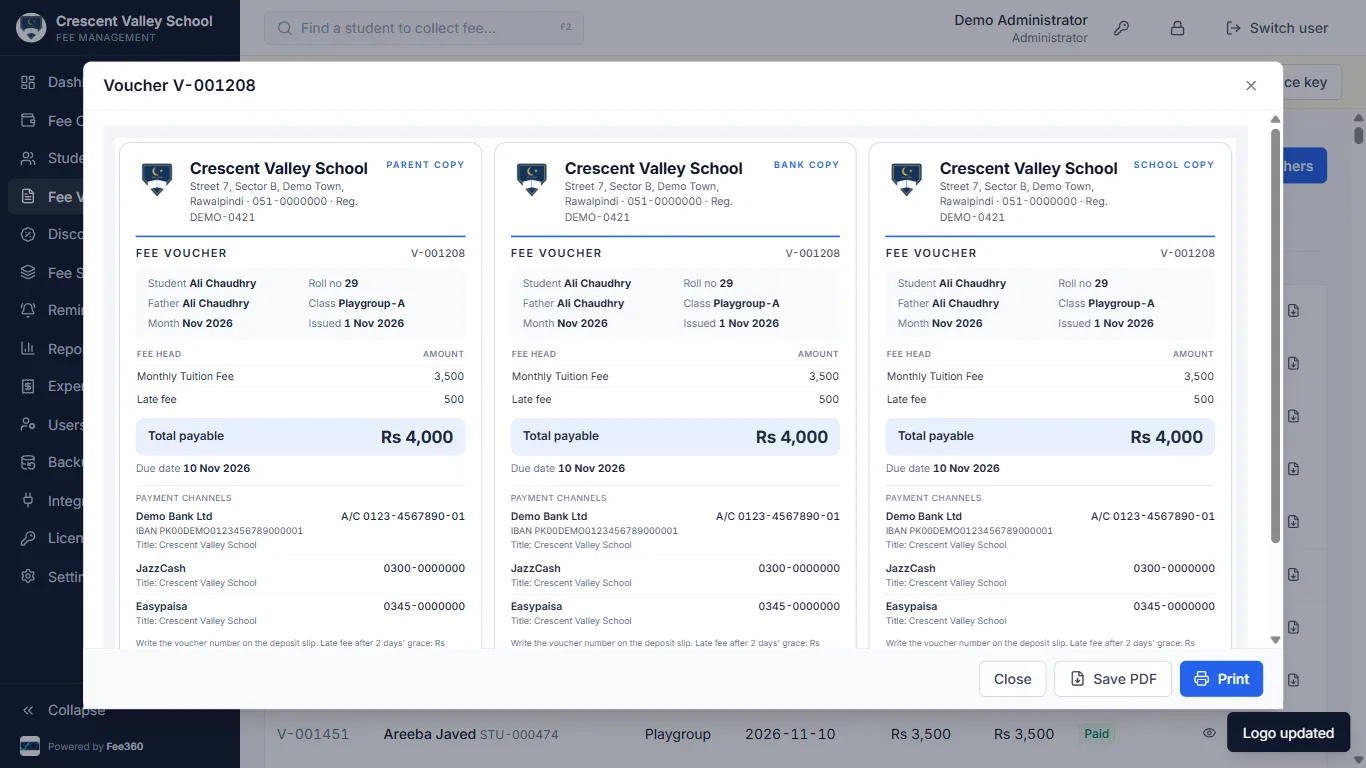
Classic three-copy, modern and compact layouts. Print one voucher or the whole class.
Your logo, colours and bank details
Vouchers carry your school logo, brand colours and your own bank account details.
Fast fee collection
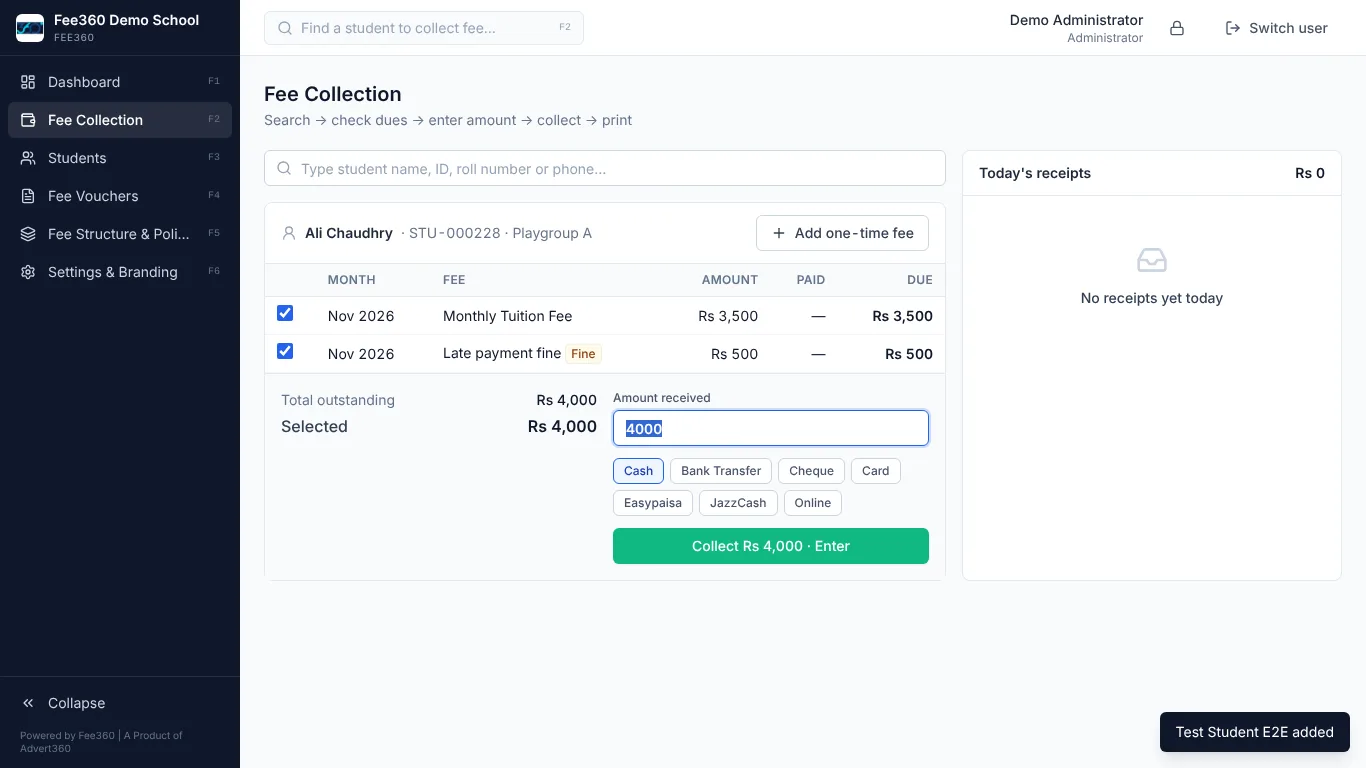
Find a student, pick the dues, take Cash, Bank, Cheque, Card, Easypaisa, JazzCash or Online payments and print a receipt.
Safe reversals
Mistakes are reversed with a password and an audit trail, not erased.
Reminders & messages
Pending fee tracking
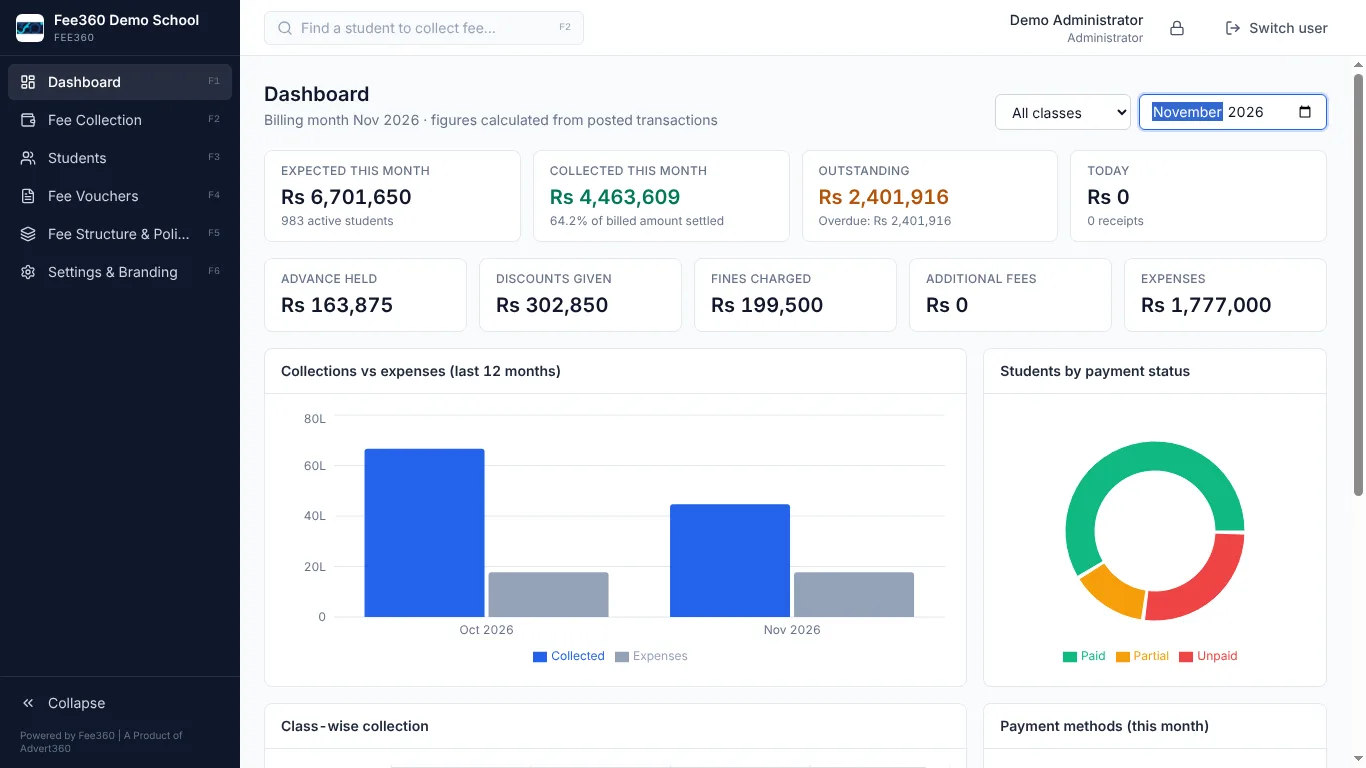
See expected, collected, outstanding and overdue amounts at a glance, by class or for the whole school.
WhatsApp fee reminders
Send reminders and receipts through WhatsApp on your PC, or automatically through your own official WhatsApp Business (Meta Cloud API) account.
Notices to parents
Write one notice and send it to all parents or one class, one message per number.
Email vouchers and receipts
Email PDF vouchers and receipts through your school’s own mailbox (SMTP).
Reports & control
Owner dashboard
Collections, outstanding, discounts, fines, advance held and expenses with monthly charts.
17 financial reports
Export to Excel, CSV or PDF for your accountant or board.
Expenses
Record school expenses alongside fee income.
Users and roles
Administrator, Owner, Accountant, Cashier, Data Entry and Viewer roles with lockout and screen lock.
Google Sheets owner dashboard
Optional: keep a live summary in your own Google Sheet for owners who are away from school.
Data & licensing
Works offline
Everything runs on your Windows PC. No internet needed to collect fees or print vouchers.
Backup and restore
Take backups and restore them; a safety backup is taken automatically before every update.
Your currency
Choose PKR, AED, SAR, OMR, GBP or USD at setup.
Offline licence activation
Paste your licence key once; it is checked on the PC, without an internet connection.
Requirements
Supported Windows versions
- Operating system: Windows 10 or Windows 11 (64-bit)
- Computer: any normal office PC or laptop
- Disk space: about 400 MB free
- Internet: not required for daily use. Needed only to download the installer and, optionally, for WhatsApp/email sending
- Printer: any printer for vouchers and receipts (A4)
- Installation: about five minutes. Remote installation by our team is available where supported
Current version: 0.4.3 (pilot). Release notes
Pricing
One payment. No monthly bills.
Pakistan
Rs. 20,000
One-time payment
One-time payment for one PC. Lifetime use of the purchased version, subject to the licence terms.
- No monthly software licence fee
- Two-day free trial first
- One PC and one campus per licence
- Remote installation where available
- Bug-fix updates for your version
International
US$ 99
Proposed lifetime licence
Proposed lifetime licence for one PC, one-time payment. Subject to final approval.
- No monthly software licence fee
- Two-day free trial first
- One PC and one campus per licence
- Remote installation where available
- Bug-fix updates for your version
FAQ
Fee360 questions
What is Fee360?
Fee360 is offline Windows desktop software for managing school fees. It handles class-wise fee structures, monthly vouchers, fee collection and receipts, discounts and fines, expenses, reports, backups and WhatsApp reminders to parents. It is currently in its pilot stage.
Do I need the internet to use Fee360?
No. Fee360 works offline and stores your data on your own PC. Internet is only needed for optional features you choose to use, such as sending emails, the WhatsApp Cloud API or the Google Sheets owner dashboard.
How many PCs can I use one licence on?
One. Each licence covers one PC and one school campus. If you want to use Fee360 on more than one PC, or for more than one campus, you need a licence for each.
Is there a free trial?
Yes. Fee360 includes a free two-day (48-hour) trial with every feature available. We recommend trying it on the PC you plan to use, with a few real classes, before buying.
How much does Fee360 cost?
PKR 20,000 as a one-time payment per PC licence for the purchased version. That includes installation and activation help, bug-fix updates for that version and support from our team. Pricing for schools outside Pakistan is being finalised; please contact us.
Is Fee360 a monthly subscription?
No. You pay once for the version you buy, with no monthly fee. Bug-fix updates for that version are free. Major new versions may be offered later as optional paid upgrades.
How can I pay for Fee360?
You can pay by bank transfer, JazzCash or Easypaisa. The payment details are shown on the order page or sent to you by our team. After paying, you submit your payment reference so we can verify it.
What happens when the trial ends?
Nothing is deleted. All your records stay viewable, printable and exportable, and backups keep working. New fee collection, voucher generation and student changes are paused until you enter a licence key.
Try it in your school
Register for the free two-day trial, install it yourself or ask us to install it remotely. Your records stay when you activate a licence.
IT shop or school consultant? Join the reseller programme.